Health Hub is Peter Mac’s patient portal – it is our secure mobile app and a website that connects you to important information about your care and treatment at Peter Mac.
Health Hub is Peter Mac’s patient portal, connecting you to your healthcare information in the electronic medical record (EMR) from home or on the go. You can use Health Hub to get the most up-to-date available information about your appointments, access to your test results and notes, and have a way to contribute your healthcare information. Peter Mac encourages all patients to sign up and use to Health Hub. It is our way to ensure you remain at the centre of your care.
To find out more, watch the video – Introduction to Health Hub
There are 3 ways to sign up to Health Hub. You can choose the method that suits you best.
1. Health Hub sign up text message
Patients should receive an automated Health Hub sign up SMS with a secure individualised invitation link when you have an appointment booked or are admitted to Peter Mac.
If you are worried that the text message is suspicious, you can also ask a friendly Peter Mac staff member for a Health Hub activation link at your next visit. The staff member can instantly generate a SMS with a secure individualised invitation link.
Access the individualised link in the SMS to create your Health Hub username and password. For your security, your activation code expires after 30 days and is no longer valid after the first time you use it.
2. In person
Drop in at the Patient and Carer Support (PACS) Service on Levfel 2, 2D, Melbourne Campus or call a PACS member on (03) 8559 8871. A friendly staff member can help you sign up!
This online form requires you to fill in your name and personal details in the form. Then you will receive an SMS to check your mobile number. If your details match our system, you can proceed with a username and a password.
To make sure we can continue to offer new features and best security practices, iPhone 5s, iPhone 6 and iPhone 6 Plus iOS devices are no longer supported.
Health Hub makes it quicker and easier for you to access important hospital information.
You can see and manage information about your care and treatment in one secure location:
See details of your upcoming appointments
Keep track of your medications and allergies
See information about your recent hospital visits, in some cases including notes from your healthcare team
View test results, such as blood test or plain x-ray results (generally available within four working days)
Review details about your existing conditions and diagnoses
Receive and answer questions about your care, before you arrive for your next appointment
Give one-time access to your medical record to any GP or an external healthcare provider with internet access
If you’re receiving care at another hospital in the Parkville Precinct – including The Royal Melbourne Hospital, The Royal Women’s Hospital or The Royal Children’s Hospital – you’ll be able to see those details too.
We have an electronic medical record (EMR) system to improve the way we deliver care.
We share the EMR with:
Royal Melbourne Hospital
Royal Women’s Hospital
Royal Children’s Hospital
The EMR makes it quicker and easier for clinicians to find the information they need to deliver the best care to you and your family.
Your hospital information is secure and only staff involved with your care and treatment will access it.
Your care team will have:
A complete picture of your care and treatment across the Parkville health services
Access to your most up-to-date information always
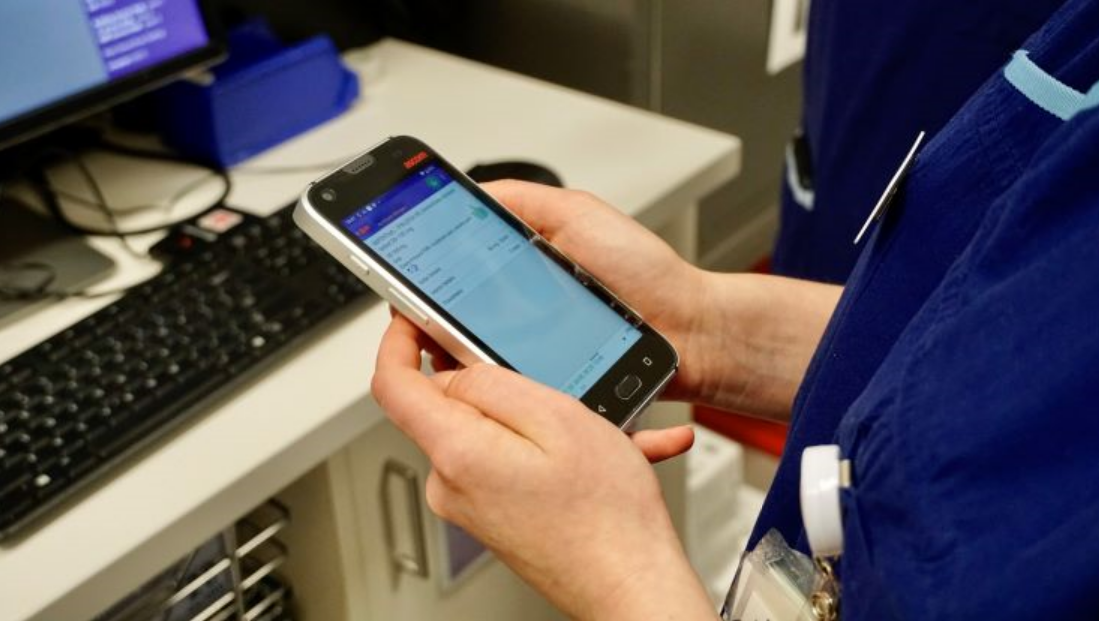
Equipment, such as mobile workstations, handheld devices, and barcode scanners, to help them deliver and record your care
Support to make the best clinical decision with the help of prompts, warnings, alerts, and reminders in the system
You will:
Wear a barcode on your wristband so your information can be checked to support safe medication administration and pathology specimen collection when admitted to hospital
Find it easier to move between hospitals - your information will be in the system, so you won’t have to repeat your story or fill in our unnecessary paperwork
Have more access to your own information - you will be able to access parts of your medical record where and when you need it
Parkville Connect is a secure, web-based portal providing GPs, specialists and other healthcare professionals with access to information in the Parkville electronic medical record (EMR).
Patients can consent to their GP, specialists and other healthcare professionals accessing their information via Parkville Connect when they are registered at the hospital.
We are proud to care for patients and carers in the LGBTIQA+ community. We have included terms and fields to ensure the EMR works for everybody. People use many words to describe sexual orientation and gender identity. These terms are important for inclusive and tailored health care. This information may also be important in decision making by your clinical team.
The 'EMR Sexual Orientation and Gender Identity' form improves patients' experiences. This is particularly for those who associate with the LGBTIQA+ community. We do this by documenting various fields in our medical record system. These include chosen name, pronouns, gender identity, and sexual orientation. We share this with the:
Royal Children’s Hospital
Royal Melbourne Hospital
Royal Women’s Hospital
We educate our staff on having safe and sensitive conversations with patients. We also encourage patients with Health Hub accounts to update their own details.
Can my carer or family member also get access to Health Hub?
Yes, with your consent. A patient/consumer may authorise a proxy to have access to their Health Hub. This may be a parent, legal guardian or medical decision maker. Your proxy will have their own Health Hub account, with their own proxy username and password, that provides them with access to your information. To find out more about requesting proxy accounts, please visit the Patient and Carer Support Service or complete the Health Hub activation request form.
What is the difference between full access and limited access (for proxy users)?
A Health Hub proxy account can have full or limited access to a patient’s information.
Full proxy access typically means whatever the patient can see, the proxy can also see. Proxy accounts with limited access are unable to view or update clinic notes, after-visit summaries or medications. They also do not have access to preventive care details, medical and family history, implants, or educational materials.
Functionality Questions
When does Health Hub send me a notification?
Health Hub will usually send a notification/reminder one week prior to any scheduled clinic appointments. You will also get notifications if you get new messages.
Health Hub will send a notification to your phone/tablet (if you have the mobile app) and/or your email address. These emails are very generic and will advise you to log into the portal to see the new message. This is cybersecurity design to help protect your healthcare information from appearing in emails.
Health Hub is currently configured to not send notifications when new appointments are just made or rescheduled by Peter Mac staff members. This is to reduce excessive alerts to patients. Coordination of care in cancer is complex and many appointments are related, meaning there can be many scheduling updates to get to the best plan. Health Hub will always have the latest appointment date/time information. Peter Mac staff will contact you directly if there are last minute changes.
Why are some of my test results not available?
Health Hub will display most of your pathology test results and radiology test reports that have been performed at Peter Mac, Royal Melbourne Hospital, Royal Children’s Hospital or Royal Women’s Hospital. If resulted at our hospitals, your results are generally released automatically.
For basic pathology test results, these will be available 4 days after the test is finalised. Example: Full Blood Counts, Electrolytes and Blood Cultures
For COVID results, these will be available instantly if negative or after 24 hours if Final Positive.
For x-ray reports and respiratory function test, these will be available 4 days after the test is finalised.
For radiology/imaging reports (not the scans or images), these will be available 42 days after the report is finalised. Example: ultrasound, MRI, PET scans, mammogram.
Unfortunately, not all diagnostic tests can be released automatically to Health Hub – your clinicians will discuss these results with you directly. You can always ask your clinician to give you a copy of the results or manually release the result to your Health Hub (sometimes possible).
I did my tests elsewhere (not at Peter Mac), can I see these results on Health Hub?
Tests performed outside of Peter Mac, Royal Melbourne, Royal Women’s or Royal Children’s Hospital cannot be accessed automatically through Health Hub. However, you can always ask your clinician to give you a copy of these external results or manually release the result to your Health Hub (sometimes possible).
Can I reschedule or cancel an appointment in Health Hub?
At Peter Mac you cannot reschedule or cancel an appointment within Health Hub. This is because the coordination of appointments for cancer care can be complex, and the timing of appointments need to be carefully considered and arranged by your care team. If you need to reschedule or cancel an appointment, it is recommended to contact Peter Mac via telephone or contact your Patient Navigator. Find your patient navigator contact details. If you open your appointment in Health Hub, there will be a contact phone number for your appointment.
Can I talk to my doctor through the messaging platform in Health Hub?
The messaging platform is for non-urgent Health Hub related questions only. If you want to get in touch with your Peter Mac care team, please contact your Patient Navigator. Find your patient navigator contact details.
If you’re admitted to Peter Mac, a different view will appear when you first log into Health Hub mobile application on mobile or tablet.
The information displayed is more relevant to your stay while in hospital, such as medications, questionnaires, education and information about your treating team. You can also view upcoming inpatient tasks such as medication administrations and observations.
Many of the views available show information already available to you outside your admission. At any time, you can tap the ‘home’ button to return to your usual view in Health Hub.
Instead of a password, how do I set up a PIN code or fingerprint biometrics for the Health Hub app? (Mobile apps only)
You can create a four-digit PIN code and set up face ID (iPhone) or fingerprint biometrics under “Account Settings” in the menu. The menu is located on the top left corner in the Health Hub mobile app.
How do I deactivate my account?
You can deactivate your own account by logging in and navigating to 'Account Settings' in the menu. You can also reach out the EMR Help Desk on (03) 9345 6277 (Option 1 for EMR) or Patient and Carer Support Service (03) 8559 8871 for help deactivating your account. While you will no longer be able to access your account, your medical information and other associated data will not be deleted for legal requirements and to ensure you continue to receive the best possible care from your clinicians.
If any other Health Hub users have access to your medical information, they will continue to have access to your medical information even after your account is deactivated. You can request for proxy access to also be deactivated for your account.
You will not be prevented from signing up for Health Hub again in the future.
I forgot my username or password, what do I do?
If you can’t remember your username or password, navigate to ‘Forgot login information’ from the Health Hub home page. After clicking the link, you are prompted to enter an email or mobile number associated with your account to first complete two-factor authentication then enter your date of birth.
Successful completion of these steps will bring you to a recovery page that allows you to either view your username or reset your password.
Alternatively, you can visit the Patient and Carer Support Service located on level 2D, Parkville Campus or call the EMR Help Desk on (03) 9345 6277 (Option 1 for EMR).
I have a new email address and the two-factor verification is sent to an old email address, what do I do?
You can call the EMR Help Desk on (03) 9345 6277 (Option 1 for EMR) to update your email address.
Where can I see my Medical Record Number (MRN) in Health Hub?
You can now see your MRN by logging in and navigating to ‘Personal Information’ from the menu. Due to safety considerations, proxies cannot view MRN details of the patient they are connected to. If you are a proxy of a patient at our Health Services, you can find the MRN of a connected patient by viewing the After Visit Summary for a recent visit or clinical letter.
My account is locked
After three failed password attempts, the system will prompt you to ‘reset your password’. See Health Hub password reset instructions.
After three further failed attempts at two factor verification (email address or mobile number) when resetting your password, your account will lock to protect your health information.
You can call the EMR Help Desk on (03) 9345 6277 (Option 1 for EMR) for a password reset and access back into your account, the staff will need to verify your identity to unlock your account.
How do I change my notification settings?
You can update all your notification preferences by logging into your account and navigating to ‘Communication Preferences’ menu. This is where you can choose how you would like to receive notifications. You can turn off your notifications to your mobile or emails by selecting ‘Advanced settings’ under the same activity page.
Types of alerts and notifications can include upcoming or past appointments, new information about your care, questionnaires available, and to do tasks. We encourage you to review and change your preferences to suit your care.